Sales Overview
The sales module is where you will manage the process of item allocation and sale. The sales module provides storage for customer defaults and data, the Inventory Lookup tool for sales staff, and an Order Review by Item tool.
There are two types of orders:
- Master Orders: Sometimes called “blanket orders”, these are large orders that will be broken down into multiple sales orders and shipping loads over a period of time.
- Sales Orders: These are more traditional one-time orders; sell a group of items, ship them, then mark the order complete.
One significant difference between these order types is the way allocation happens.
- Sales Order Allocation: Allocation for sales orders is made to specific crops by location and can be done automatically or manually.
- Master Order Allocation: Allocation for master orders does not go to specific crops, but instead allocates to specific ready dates or to the “System” (which is the total quantity for all crops).
Both order types offer a wide range of options and tools. Continue below for more information about the capabilities in the sales module.
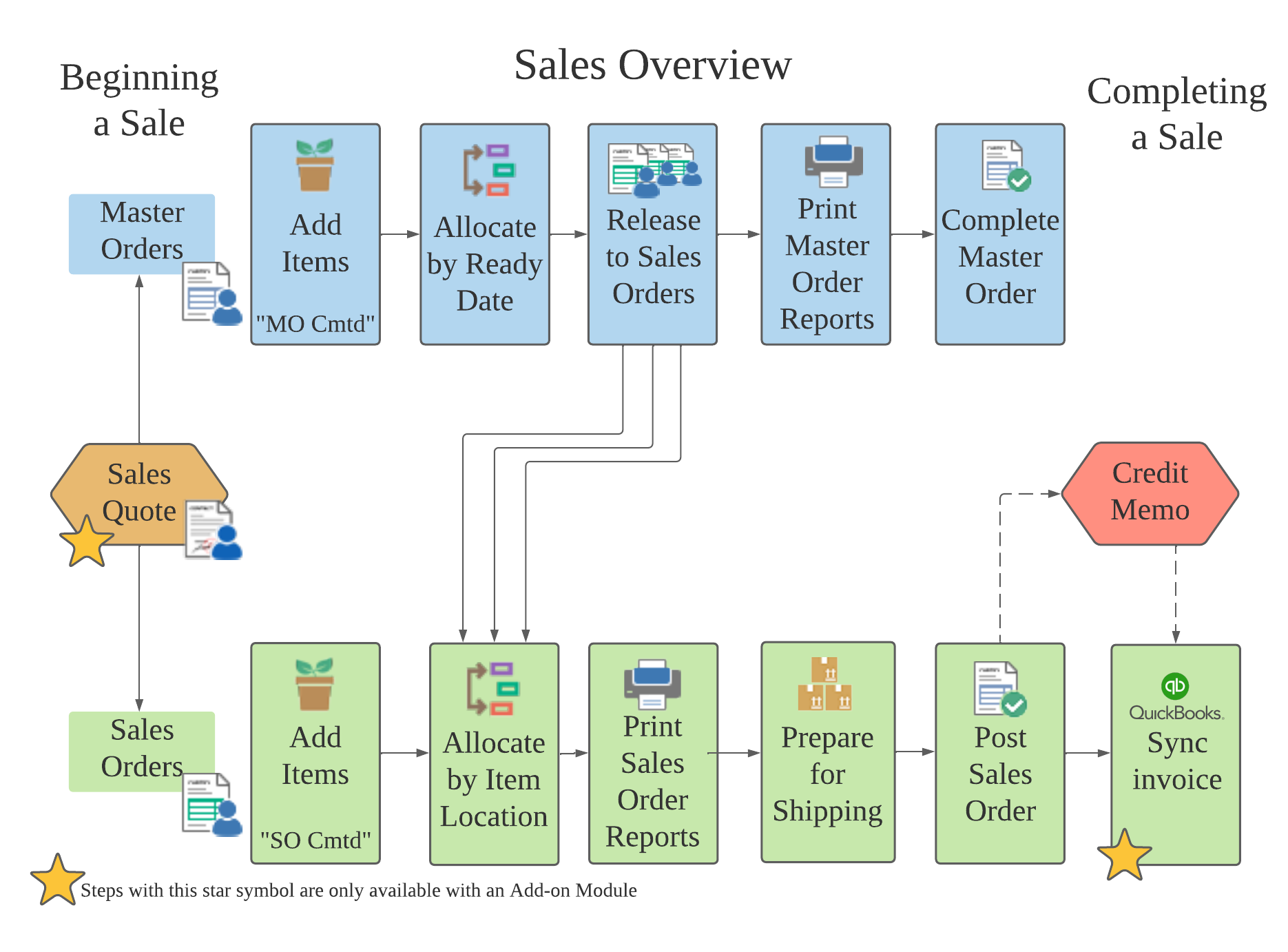
Master Order Flow
- Create a new master order
- Add items to the order which will now appear in inventory as “MO Cmtd”
- Allocate items by ready date or to the “System”
- Print master order reports for yourself and customers as needed.
- Release groups of items from the master order to sales orders.
- Process the sales orders.
- Complete the master order when all items are shipped.
Sales Order Flow
- Create a new sales order
- Add items to the order which will now appear in inventory as “SO Cmtd”
- Allocate items by location from your inventory
- Print sales order reports for yourself and customers as needed.
- Prepare the order for shipping by creating and fulfilling a shipping load.
- Post the sales order to remove inventory items and lock order from further changes.
- With the QuickBooks Desktop Integration Add-on, you can then sync the order invoice with your accounting software.
Credit Memos allow you to credit back a customer for any reason.
The Sales Quote Add-on Module allows you to create sales quotes, send them to customers, then convert them into master or sales orders.