eGrow Connect's Layout
The appearance and flow of the eGrow Connect system is built for efficiency and ease of use. Below we’ll outline the main parts of the structure that you will see and use in eGrow Connect.
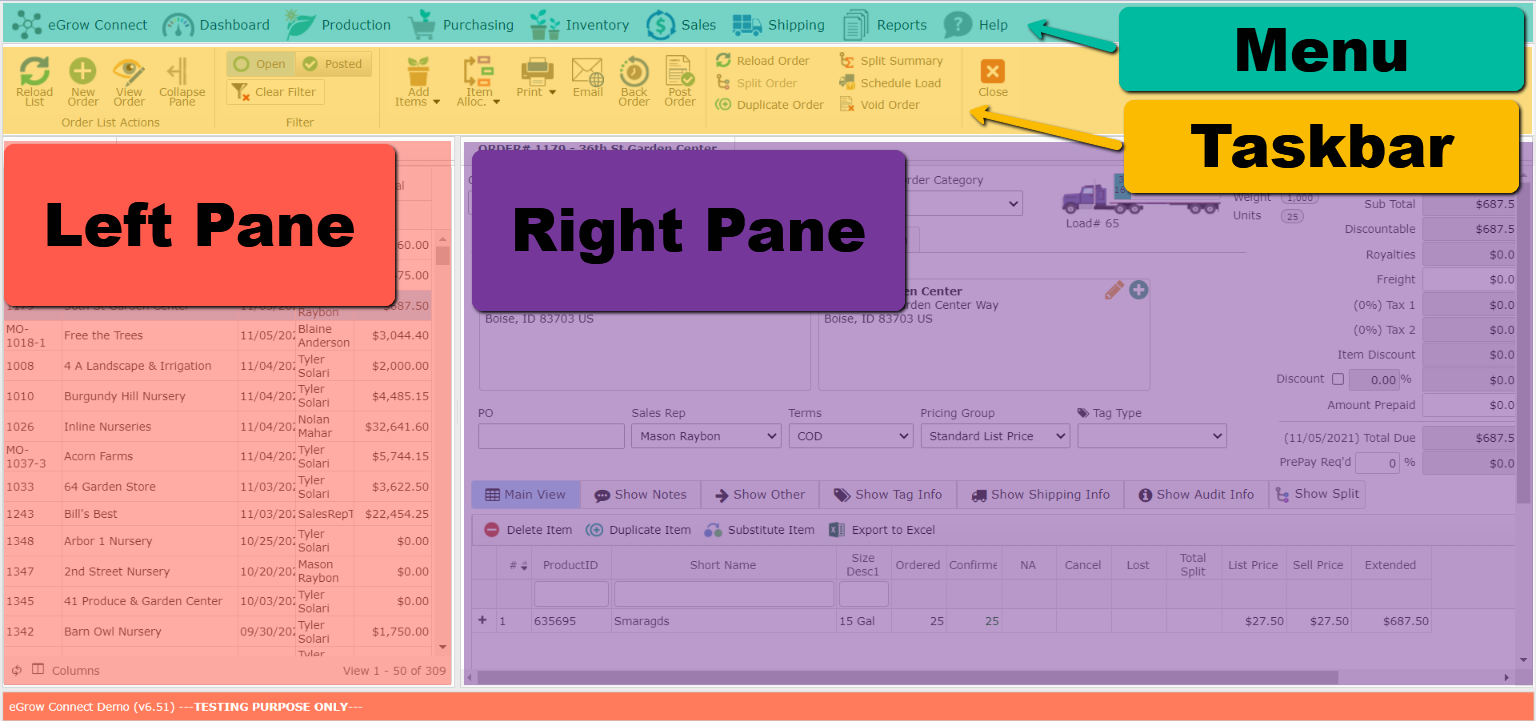
The menu will always be at the top of your screen. You will use it to navigate your way through the program based on what type of task you need to complete.
Once you have selected a task from the menu (Inventory Adjustments, Sales Order, etc.) the taskbar will appear with the tools and options available for that task.
The left pane is typically the place to begin. This is where you will find lists (Inventory, Sales Orders, Customers, etc.). Typically, once you double-click an item from the list, the right pane will display more detailed information, often on multipled [tabs], and allow you to make adjustments to the chosen list item.